Adjutant
Welcome Guest, you are in: Login

Desktop Adjutant

RSS

Navigation


Quick Search
»


Advanced Search »

Default Menu Location

Transaction >> Accounts Receivable >> Edit Invoice Headers

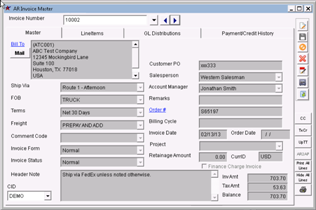
Edit Invoice Header Screen

Procedures

  • Enter the Invoice Number you wish to change or select it from the drop-down menu

  • Click Edit

  • In the Billing Cycle field, enter the correct month and year for your invoice

  • Click Save


Clip to Evernote

Adjutant Wiki via Screwturn version 3.0.5.600. You are logged in as Guest. There are 556 pages in the Wiki. Learn More About Adjutant Enterprise Solutions